
How to Copy a Video Editing Style From a Reference Clip
Learn how to copy a video editing style from a reference clip by analyzing pacing, subtitles, transitions, and energy, without relying on rigid templates.

Most creators don't start with a blank editing idea. They start with a reference. A vlog with pacing they like. A Shorts clip with subtitles that land perfectly. A creator whose editing rhythm feels right. The challenge is not inspiration.
The challenge is replication.
Watching a video and understanding why it works are two different things. Most creators can identify a style they want. Very few can systematically reproduce it — because editing style isn't a single element you can copy; it is a bundle of measurable decisions that a chat-directed AI video editor can extract and reapply mechanically. It's a combination of signals working together. This article breaks down what those signals are, why templates consistently fall short at replicating them, and what a reference-based editing workflow actually looks like in practice.
What Actually Makes Up an Editing Style
Most discussions of editing style focus on the obvious: transitions, captions, music. But those are surface elements. The reason two videos can use the same transition type and still feel completely different comes down to five underlying signals.
| Signal | What It Covers | Why It's Hard to Replicate |
|---|---|---|
| Pacing | Average shot length, rhythm variation points | Requires frame-by-frame measurement |
| BGM relationship | Whether cuts land on beats, where sound effects trigger | Depends on audio perception, changes with every track |
| Subtitle behavior | Timing of appearance, animation style, density | Template parameters are usually fixed |
| Transition logic | Trigger conditions, intensity relative to shot energy | Content-dependent, cannot be preset |
| Energy curve | The macro rhythm structure across the full video | Macro-level, hardest to consciously perceive |
The key point: a creator's editing style is the result of these five signals working in combination. Templates can approximate one or two of them. Reproducing all five consistently — that's where templates break down.
Why Templates Fail at Style Replication
1. Templates enforce fixed structure
A template has a predetermined number of clips, a set duration, and predefined transition points. Your footage rarely fits that structure cleanly. When the mismatch happens, you either cut content to fit the template or stretch clips to fill gaps. Either way, the pacing you were trying to replicate gets lost in the workaround.
2. Templates approximate style signals, not reproduce them
The gap is more specific than most creators realize:
-
Subtitle delay of 0.2 seconds versus 0.5 seconds produces a completely different feel — but templates apply a fixed parameter regardless of context
-
BGM cut points depend on reading the audio waveform — templates trigger transitions at fixed frame counts
-
Transition intensity needs to match the energy of each specific shot — templates apply one preset intensity across the board
This is why template results always feel like they're "close but not quite right." The structural scaffold is there, but the signal-level logic isn't.
3. Templates don't transfer across footage
Change your footage and a template that worked before often stops working. The structure was calibrated to different clip lengths, different shot energy, different audio. Every new footage set requires re-adapting the template — which defeats the efficiency advantage.
Why Reference Videos Are a Better Starting Point
Pacing is learned by observation, not description
Rhythm is experienced, not read. A reference video transmits the feeling of a style more accurately than any written description. When you watch a well-paced vlog or a tightly edited Shorts clip, your intuition calibrates to that rhythm in a way that a tutorial cannot replicate.
Editing styles are pattern-based
A creator's style is a recognizable set of recurring patterns: how long shots tend to run, where subtitles appear relative to speech, how transitions match cut energy. Those patterns already exist inside a reference video. The problem is extracting and applying them systematically.
Reference videos compress the feedback loop
Analyzing one concrete reference clip gives you more actionable signal than reading ten editing tutorials. The style is already there — you just need a workflow to extract it.
How to Choose the Right Reference Video
This is where most creators make their first mistake. Not all videos work equally well as references. Good reference videos:
-
High signal density — the editing is active, not minimal
-
1–5 minutes in length — long enough to establish patterns, short enough to analyze efficiently
-
Same content type as your footage — use a vlog reference for vlog content, a Shorts reference for Shorts content
-
Clear BGM structure — music with an identifiable rhythm makes beat alignment analyzable
Poor reference videos:
-
Heavily effect-driven — when the style lives in motion graphics and VFX rather than editing logic, there's little pacing structure to extract
-
Extremely minimal editing — too few signals to identify patterns
-
Highly variable across scenes — inconsistent style means no stable pattern to replicate
-
Heavily compressed or watermarked — degrades signal quality
The practical test: after watching a reference video once, can you describe where the style comes from? If you can say "the cuts are fast and land on beats, subtitles appear slightly before the speaker finishes the word, transitions are hard cuts not dissolves" — that's a usable reference. If you just feel like it "looks good" but can't articulate why, the style may be too dependent on content or production quality rather than editing logic.
The Reference-Based Editing Workflow
Step 1 — Select your reference video and upload your footage
Choose a reference based on the criteria above. Paste the URL — supported platforms are TikTok, Instagram, Twitter, and Facebook.
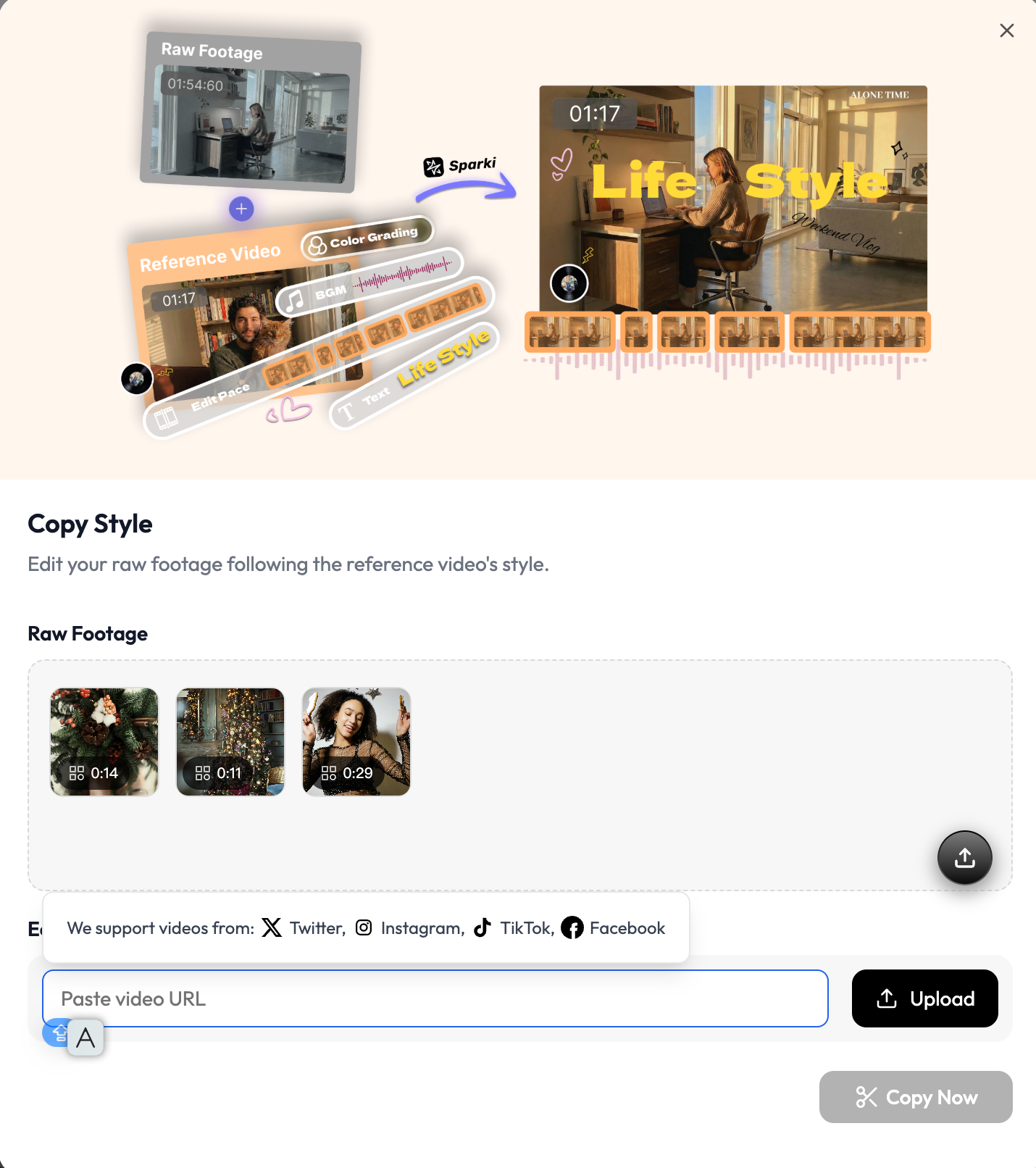
Upload your raw footage locally. These are your own clips — the system applies the reference style to your material, not the other way around.
Step 2 — The system analyzes the style signals
Once both inputs are in, the system analyzes the editing patterns in the reference video: cut pacing, BGM structure, subtitle behavior, transition rhythm. Processing typically takes 1–3 minutes depending on video length.
This is the step that manual recreation makes prohibitively slow. Doing this by hand — measuring shot lengths, marking beat points, logging subtitle timing — typically takes 1–3 hours per reference video, and this measurement work sits squarely in the mechanical layer AI video editors can automate.
Step 3 — Review the first-pass edit
The generated edit applies the extracted style logic to your footage. For most reference-footage combinations, the first pass captures the core style signals accurately. Expect to find mismatch zones in predictable places:
-
Your shots are significantly shorter or longer than the reference clips
-
A transition is placed where your audio doesn't have a corresponding beat
-
Subtitle density doesn't match your speaking pace
These adjustments are faster than rebuilding from scratch — you're correcting specific mismatches, not reconstructing the entire edit.
Step 4 — Adjust and finalize
Make targeted corrections in the mismatch zones identified in Step 3. The bulk of the style logic is already applied — this step is about calibrating the edges.
Tools That Support Reference-Based Editing
| Manual (Premiere / Final Cut) | Template Systems (CapCut / Canva) | AI Style Replication (Sparki) | |
|---|---|---|---|
| Style analysis | Manual measurement | None | Automated from reference URL |
| Adapts to your footage | Full control | Limited by template structure | Dynamically applied |
| Reference input | Observation-based | Not applicable | TikTok, Instagram, Twitter, Facebook URLs |
| Setup time | 2–4 hours | 5–10 minutes | 1–3 minutes processing |
| Best for | Projects requiring precise control | One-off simple content | Vlog and Shorts creators producing consistent content |
When to use each:
Use CapCut or Canva templates when you need a quick turnaround on a simple promotional clip and style consistency isn't a requirement.
Use manual recreation in Premiere or Final Cut when you need exact control over every element and have the time to invest.
Use reference-based AI replication when you're producing vlog or Shorts content regularly and need to maintain a consistent style across multiple uploads without rebuilding the edit logic each time.
https://sparki.io/blog/copy-video-editing-style-from-reference