
How AI Video Editors Understand Your Footage — and Where the Understanding Ends
What "understands your footage" actually means in an AI video editor: the multimodal analysis behind the claim, what a December 2025 template pack demonstrated, where the analysis is unreliable, and which decisions stay with you.

Nearly every AI video editor's landing page now carries the same sentence: the AI understands your footage. The claim does more work than it appears to. Whether it is true decides whether you get an edit built around your clip or a generic preset poured over it — and whether the twenty minutes you spend on the result feel like polish or like repair. It is also, honestly, the most over-promised sentence in the category.
So this article takes the claim apart. It covers what an editor is actually doing when it reads a clip, why template-driven tools cannot do it no matter how many presets they ship, what a real demonstration looked like when a seasonal template pack made the difference visible, and — the part most marketing skips — where the understanding reliably ends. If you want the full map of the category first, our report on the five types of AI video editor lays it out; this piece goes deep on the single capability that separates the last type from the other four.
What "Understanding Your Footage" Actually Means
Strip away the marketing and the claim reduces to something concrete: multimodal analysis of material you already shot. There is no mysticism in it. Models look at the frames, listen to the audio, and track what changes over time, and out of that the editor can answer four kinds of questions before a single cut is made:
- What is in the frame — people, objects, settings, the difference between a crowded kitchen and an empty stage
- What is changing — motion peaks, gestures, the moment an expression flips
- Where the beats are — the moments an edit should cut on, and the dead stretches it should skip
- What kind of edit the material calls for — a montage, a vlog, a challenge clip, a talking head with B-roll
Those answers are what every downstream feature depends on. Hook selection needs to know which moment carries the most energy. Highlight extraction needs to know where the action peaks. B-roll matching needs to know what a mentioned concept looks like in your own footage. When an editor can answer them, the edit stops being a preset applied to a filename and becomes a set of decisions about this footage — which is the entire difference between output that feels made for your clip and output that merely contains it.
Why Template-Driven Editors Cannot Do It
Templates have a legitimate job, and it is worth being fair about it: they take you from nothing to something fast, with clean visuals and zero learning curve. That is why the design-driven type of editor holds its place in the market. The ceiling shows up one project later. A template is a fixed structure with a predetermined number of slots, and a slot does not know what it is holding.
It cannot tell the difference between a reaction moment and a setup moment, between a signature move and random motion, between a reveal and visual noise, between the clip that is the point and the clip that is just context. So it does the only thing it can: applies the same recipe to whatever lands in each slot, again and again. The result is the complaint creators make about template output — not that it looks bad, but that it looks like everyone else's video with their clips pasted in. On feeds where viewers decide within a second whether to keep watching, indistinguishable is a real cost.
The deeper version of this problem is structural. Pacing, transition logic, and energy curves are decisions about specific footage, not parameters anyone can preset, which is why two videos can share a transition type and still feel nothing alike. Templates approximate the surface of a style. They cannot make the structure respond to the material.
What a Real Demonstration Looked Like
The clearest way to see the difference is a dated example rather than a hypothetical one. In December 2025, Sparki — the product we build, so treat this as our own example and read it critically — shipped a seasonal template pack. The interesting part was never Christmas. It was that the pack could be sorted by how much footage-understanding each template actually used, and read that way it maps onto capability layers that generalize far beyond any holiday.
Layer 1: Pure atmosphere
The simplest templates in the pack used no understanding at all, deliberately. A glass-and-fog overlay was a mood layer: the footage was already good, and the creator wanted it to feel wintry, cinematic, and cohesive. That is a legitimate job — stylization is an edit decision like any other — but it solves neither story nor structure, and pretending otherwise is where template marketing goes wrong. The same layer generalizes to winter travel reels, cozy home vlogs, seasonal product shots, and end-of-year recap intros.
Layer 2: Packaging that changes interpretation
The next tier added social texture: UI and live-chat overlays in the visual language of short-form platforms. Done well, this is not decoration. It adds context in a second, injects the feeling of an audience reacting, and turns a plain moment into a narrative beat — which is why the format migrates cleanly to nightlife vlogs, event clips, behind-the-scenes moments, and reaction shots. The lesson is that packaging is an editing decision, and it deserves the same intention as a cut.
Layer 3: A narrative arc fitted to the footage
This was the tier where analysis became visible. One template overlaid a character running a multi-step dialogue progression — starting unimpressed, gradually conceding that the scene was, fine, kind of magical — and aligned that progression with the changing emotional feel of the underlying footage. Alignment is the operative word. A scripted arc can be pasted over anything, but it only lands when something is reading the footage's beats to align against, which is analysis doing work you can see.
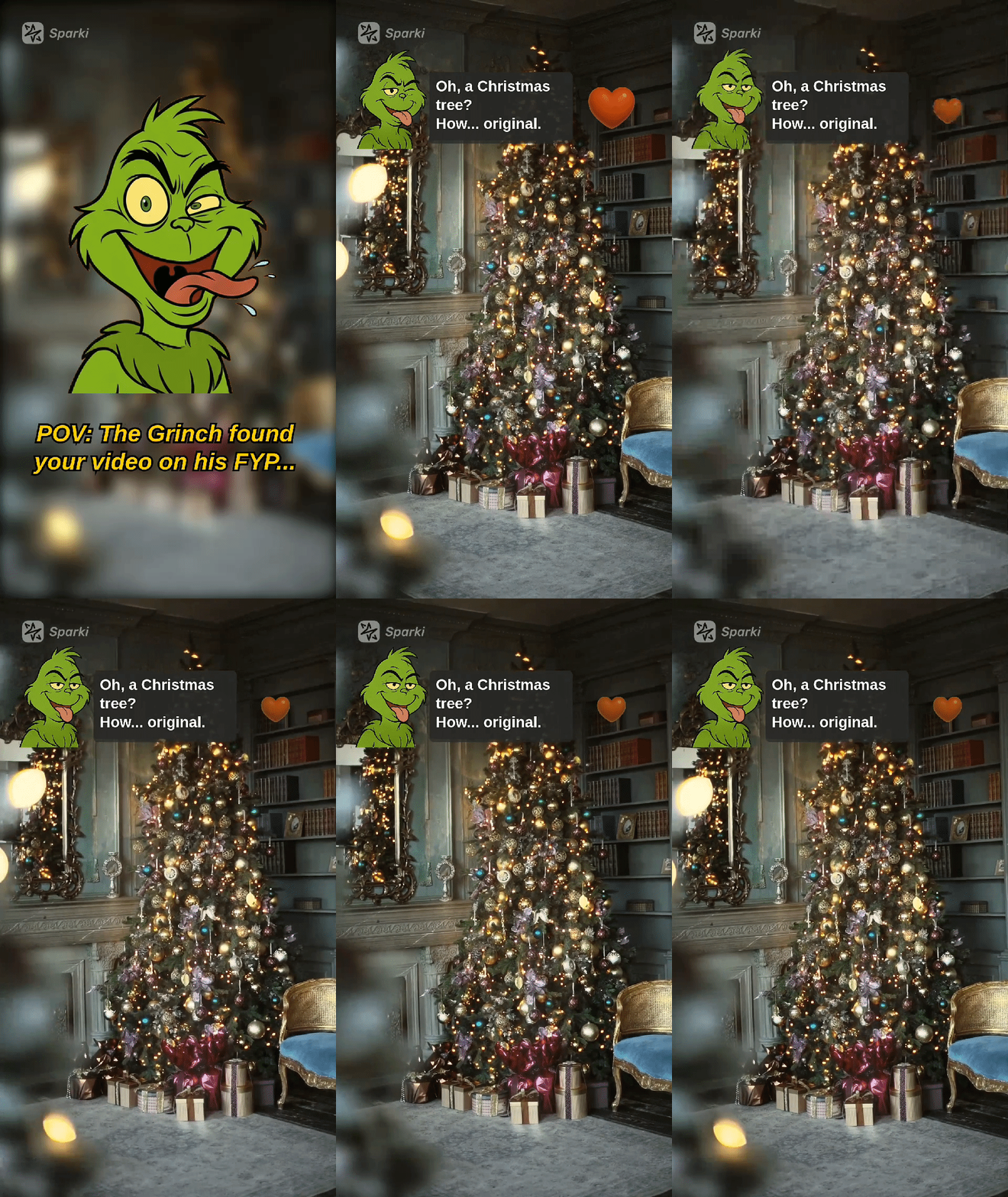
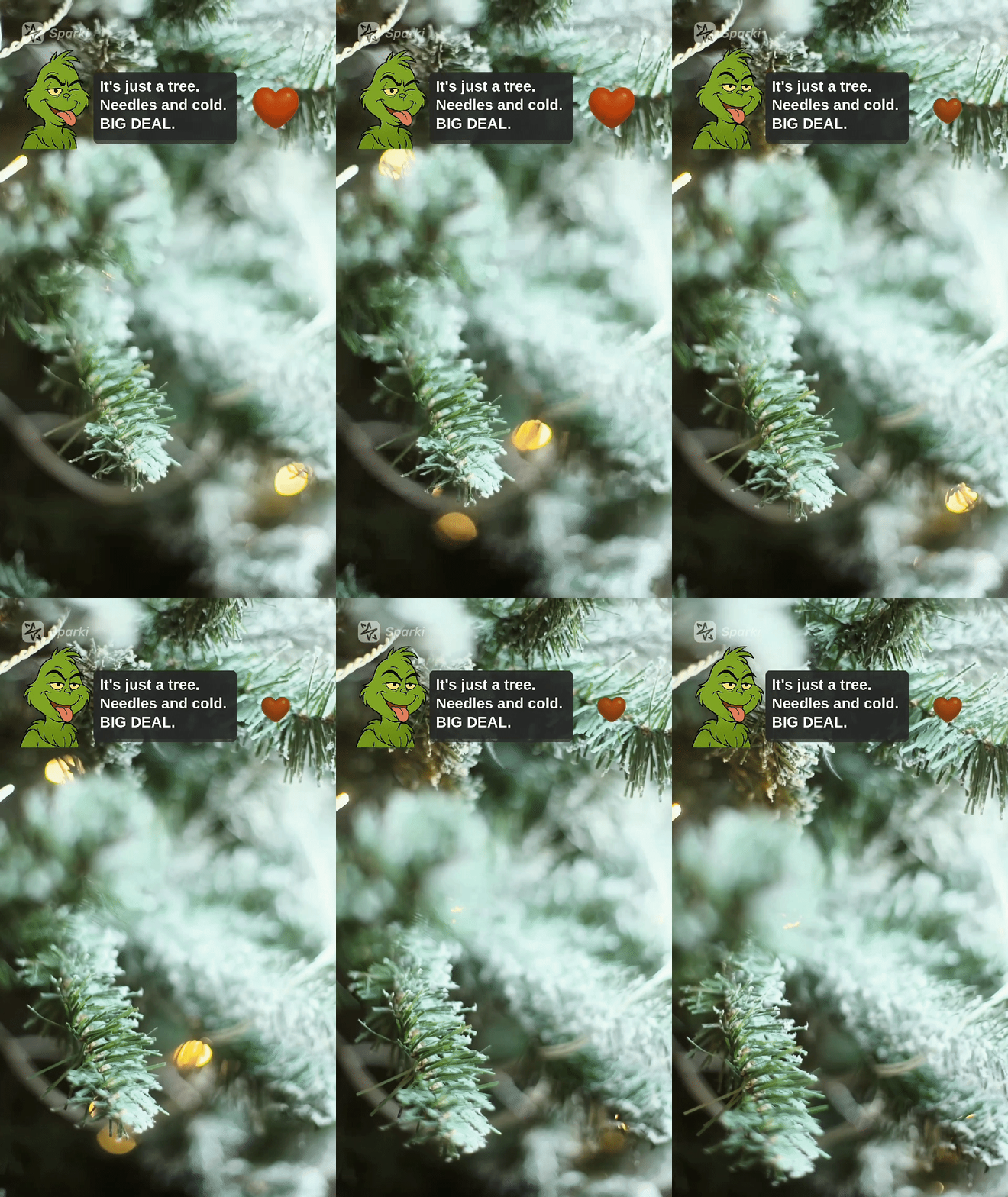
Two frames from the December 2025 pack: the overlaid dialogue tracks what happens in the footage — the tree, the room, the shift in mood — rather than running on a fixed timer.
The arc itself generalizes well past its holiday packaging: "didn't want to go, glad I did" party clips, family moments, glow-up reveals, anything built on an "I hate this / okay, fine, I love this" progression. And it should be said plainly: alignment like this is the analysis working, and when it misses, it misses visibly — a limitation this article takes seriously in the boundaries section below.
Layer 4: Recognition and scoring
The final tier reacted to signals inside the footage itself. One format framed a clip as a tryout for a role and scored it on screen as it played. Another named repeatable actions as they happened — "COOKIE SNAP" in the demo, a named label in the template's own language, the way dance games name moves — and rated them. This is the layer where the system is visibly interpreting the clip rather than decorating it: the label follows the action, the score follows the performance. Fitness challenges, cooking attempts, sports drills, dance practice, and pet tricks all run on the same machinery. One honest caveat: the scores are entertainment, not measurement — they are retention design, giving viewers a reason to keep watching.
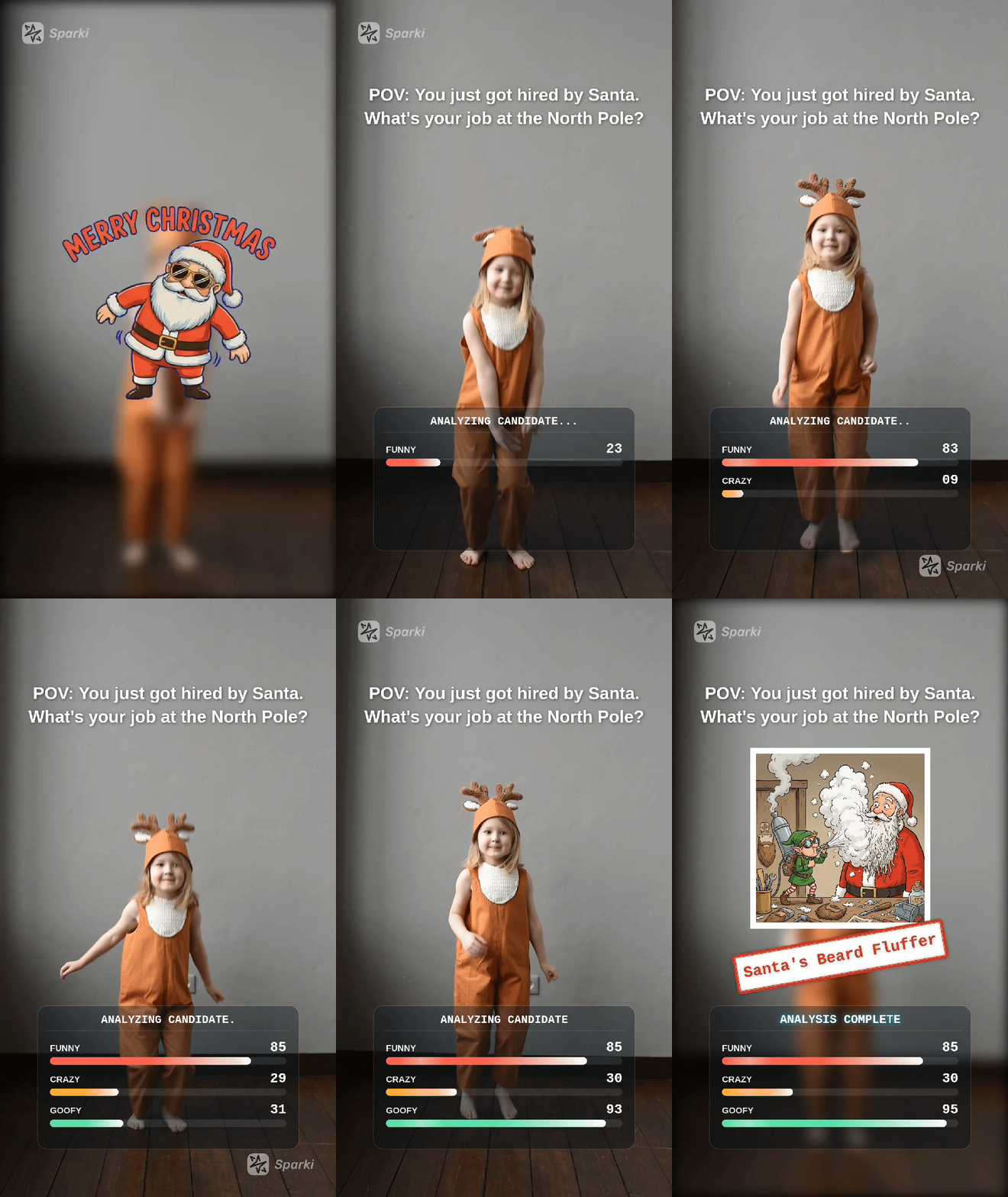
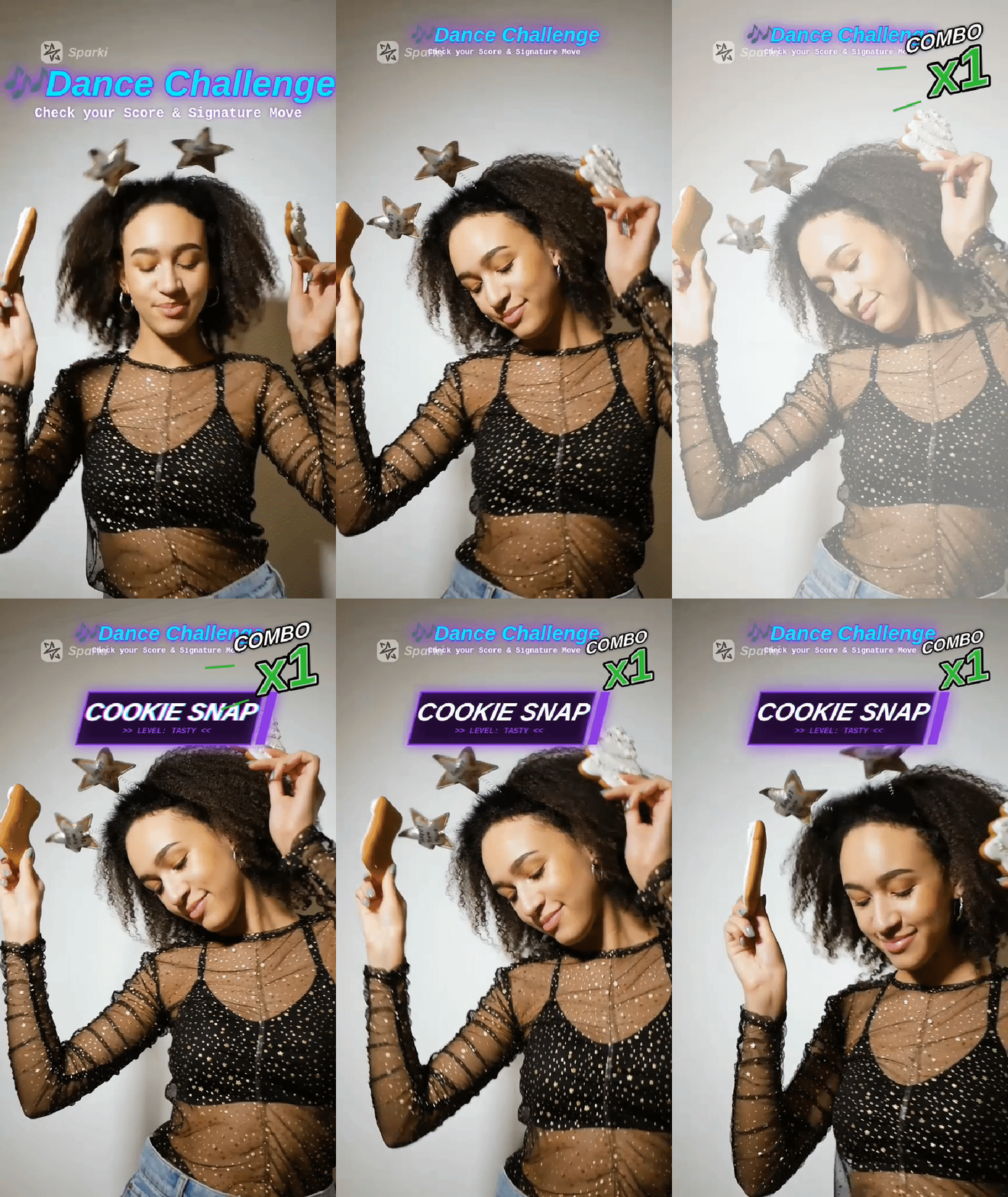
Scoring formats from the same pack: on-screen judgments keyed to what happens in the clip, rather than to a fixed timeline.
Where the Understanding Ends
Everything above is the capability working. A capability explainer that stops there is an ad, so here is the rest of the picture — the boundaries that hold no matter which tool you use.
The read is real, but it is not guaranteed. Multimodal analysis is probabilistic: it catches most of what matters in most footage, and it misses or misreads some of it, occasionally with confidence. Not every reveal is detected, not every beat lands where you would have cut, and the system that nailed one moment can be wrong about the next. This is why agentic editors produce drafts you review rather than final cuts on autopilot. The review loop is part of the workflow, not an apology attached to it.
It works only on footage that exists. Understanding selects, orders, and finishes from what you actually filmed; it does not invent the close-up you did not take or the reaction you did not capture. If a needed shot is missing, the honest options are more coverage or a different edit — not generation. That line between editors and generators is the category's most basic boundary, and it is worth knowing before you buy anything.
Learning from a reference means learning the recipe, not lifting the content. When an editor analyzes a video whose style you like and applies it to your footage, what transfers is the structure — pacing, cut logic, energy decisions — not the reference's actual shots, music, or script. That distinction, and the workflow built on it, is covered in how to copy a video editing style from a reference clip.
Which brings the practical question down to what you still review. The mechanical first pass — trims, silence removal, caption alignment, draft assembly — hands over well. Pacing taste, tone, and story judgment come back worse when nobody checks them, which is why the draft stage exists. For a decision-by-decision version of that line, the automate, assist, and keep-human matrix in what AI video editors can and cannot automate is the detailed reference.
What This Means for Your Workflow
Put together, the working pattern looks the same whether it is a holiday crunch, a travel day, or a Monday night with too much footage. Upload the clips you have. Describe the edit you want — vlog, montage, challenge, commentary — in plain language, the way you would brief a person. Let the analysis happen before any decoration, because that ordering is the whole idea. Then review the draft with one question in mind: do the cuts land where you would have cut? If yes, refine the margins and export; if no, that is the round where you redirect it.
It is a small-scale version of the shift traced in the rise of vibe video editing: you direct the result instead of operating the timeline, and the software holds the operations. The interface below is what that looks like in Sparki — upload footage, pick a format, describe the edit — but the pattern is the point, not the logo. The goal, in the end, is not any specific deliverable. It is getting from "I have too much footage" to "this feels like my moment, just tighter" without surrendering the evening to it.
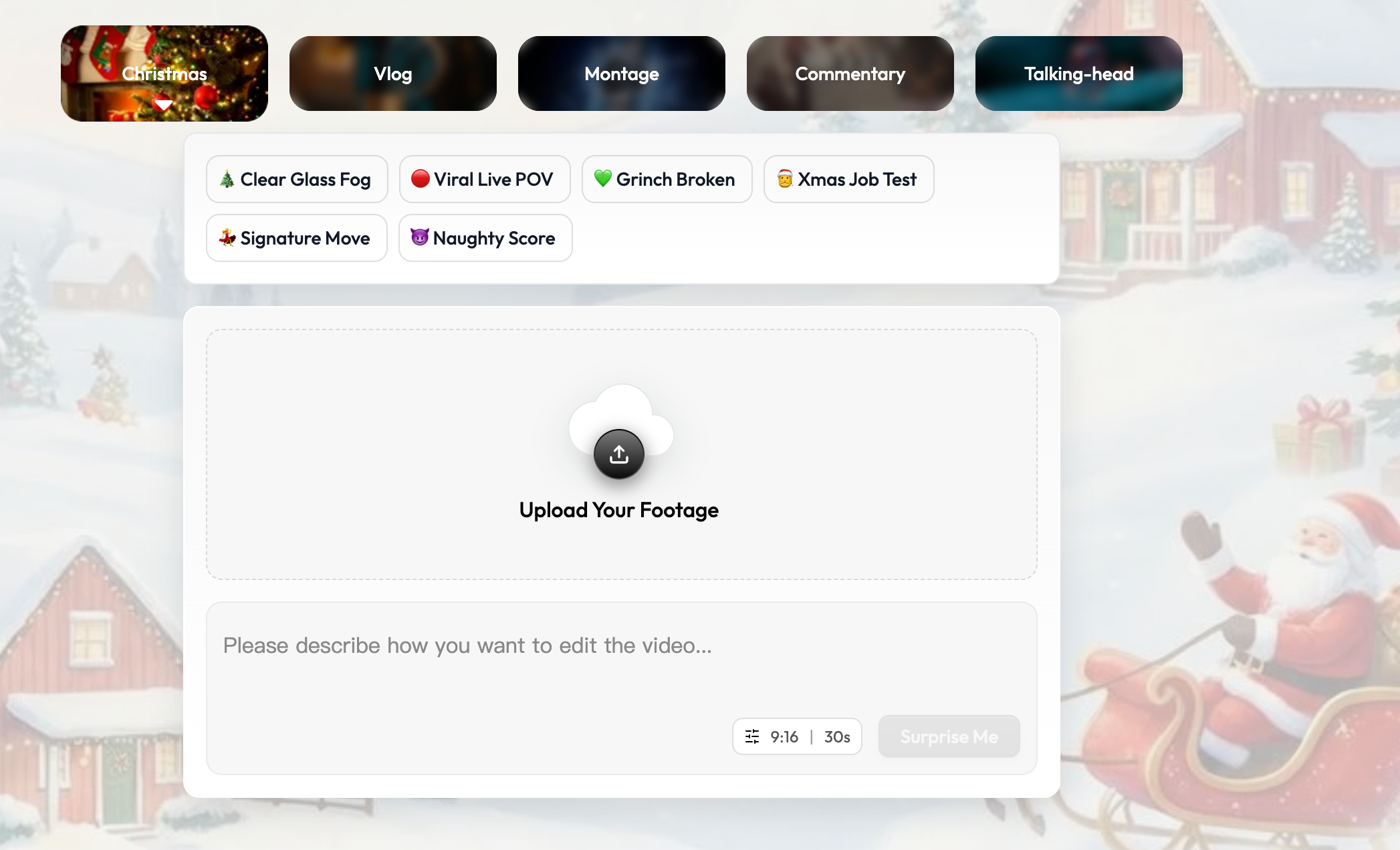
The workflow end to end: uploaded footage, a chosen format, and a plain-language brief, with the analysis running before the decoration.
https://sparki.io/blog/ai-video-editor-understands-your-footage