
How to Convert Long Video to Short Video: Best AI Tools and Workflow
Learn how to turn long video into short video with the right AI workflow. Compare Vizard, OpusClip, CapCut, and Sparki for faster, better short-form repurposing.

Turning a long video into a short sounds simple until the editing work actually starts. Trimming duration is the easy part. The harder job is deciding which moment can stand on its own, how much context it needs, and why some clips feel native to short-form while others end up flat or confusing — a problem that now extends to AI-generated footage too, as in our Seedance clips-to-shorts post-production workflow. Different tools solve different parts of this job. A quick comparison makes those trade-offs easier to see.
| Tool Type | Typical Tools | What They Do Well | Best For |
|---|---|---|---|
| Clip extraction tools | OpusClip, Vizard | Quickly detect highlights and generate multiple candidate Shorts from a long video | Podcasts, interviews, webinars with clear talking points |
| Manual editing tools | CapCut, Adobe Express, Canva | Full control over pacing, captions, framing, and visual packaging | Creators who want to craft each Short manually |
| Editing-workflow tools | Sparki | Combines AI moment detection with editing and platform adaptation in one workflow | Tutorials, commentary, educational videos where context and pacing matter |
Why Long-to-Short Repurposing Is Now Part of the Job
Three structural shifts pushed this work into the core workflow.
1. Attention moved to short-form feeds
Short-form now captures a large share of audience time. Many viewers first encounter a creator through Shorts, Reels, or TikTok clips rather than through a full video. Long-form still carries depth. Short-form now carries discovery.
2. The source material usually was never made for short-form
Most repurposing does not start from a planned clip library. It starts from:
-
livestream recordings
-
webinars and training sessions
-
podcasts and interviews
-
meetings and presentations
-
long talking-head recordings
That means the editor is not trimming. They are extracting.
3. Recommendation algorithms reward iteration
On platforms like TikTok or Shorts, distribution is rarely decided by a single post. Creators often publish multiple variations from the same source material to test:
-
different hooks
-
different framing
-
different cuts
Repurposing becomes part of the testing system, not just a recycling step.
The 4 Failure Modes That Ruin Long-Form Repurposing
Once you know what usually goes wrong, tool choices get much easier.
1. The AI picks a technically interesting moment, not a compelling one
Highlight detection is not the same as editorial instinct. The clip may contain a topic shift or a loud sentence without actually being the best moment to post.
2. The clip loses context
This is the classic "random 30-second crop" problem. A moment made sense inside the full video, but outside that structure it feels incomplete. The fix is usually a better opening line or a shorter piece with a cleaner payoff — our podcast-to-shorts guide goes deepest on preserving context through that cut.
3. Revisions take longer than expected
This is the part many landing pages skip. The first pass is quick. The cleanup is where time disappears: caption timing, reframing, dead air, safe zones, and fixing weak hooks.
4. The Short gets attention but does not support the larger channel strategy
This came up in creator communities too. Shorts can help discovery, but the audience overlap with long-form is not perfect. A short that gets views is not automatically a short that helps the rest of your channel — choosing between extraction and rebuild is the deeper call analyzed in extract highlights vs rebuild structure.
Which Tool Fits Which Use Case?
Most "long video to short video" tools fall into three different categories. The right choice usually depends more on the source material and editing workflow than on feature checklists.
1. Clip extraction tools
Examples: OpusClip, Vizard
These tools focus on speed. You upload a long video, the system detects potential highlights, and it generates multiple candidate Shorts automatically.
This approach works well when the source material is already structured around clear talking points, such as podcasts, interviews, or webinars. The main goal here is volume: quickly turning a polished recording into several publishable clips — our walkthrough for turning a podcast episode into shorts with AI covers that extraction path end to end.
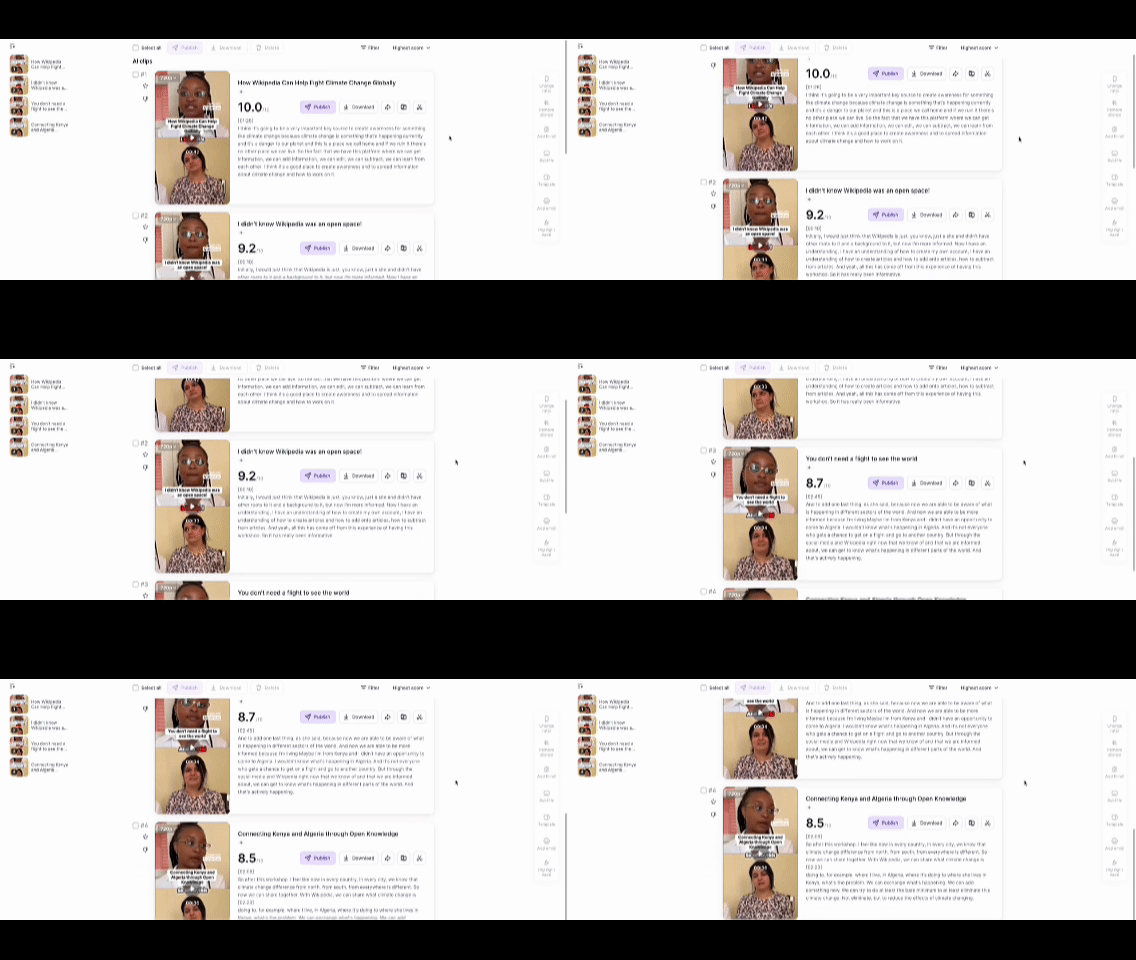
AI tool Vizard automatically generating multiple short video clips from a long video using highlight detection
2. Manual editing tools
Examples: CapCut, Adobe Express, Canva
These tools sit on the opposite end of the workflow. Instead of automatically extracting clips, they give creators full control over pacing, captions, framing, and visual packaging.
This works well when creators want to carefully craft each Short or add heavier visual styling. The trade-off is time — teams running recurring formats like webinar-to-social-clips workflows without re-editing feel it first. Repurposing can quickly turn into a second editing job, especially when multiple Shorts need to be produced from the same long video.
3. Editing-workflow tools
This is where tools like Sparki fit.
These tools focus less on automatic clipping and more on the editing loop between long-form and short-form content. Instead of exporting clips and rebuilding them in another editor, the workflow allows creators to reshape the moment directly.
Multimodal video analysis helps the system understand both the visual scene and the spoken content, which reduces the risk of clips losing context.
Because the system also understands short-form feed behavior on platforms like TikTok, Reels, and YouTube Shorts, it can surface moments that work as meaningful standalone segments rather than isolated sentences.
Once a moment is selected, it can be adapted for multiple platforms within the same workflow. Vertical reframing, caption generation, and format adjustments can be applied together, allowing creators to produce platform-ready outputs without reopening a second editing stack.
The system can also highlight key phrases on screen and add emphasis cues such as motion text or sound effects. These small packaging details often make the difference between a clip that simply exists and one that actually performs in a fast-scrolling feed.
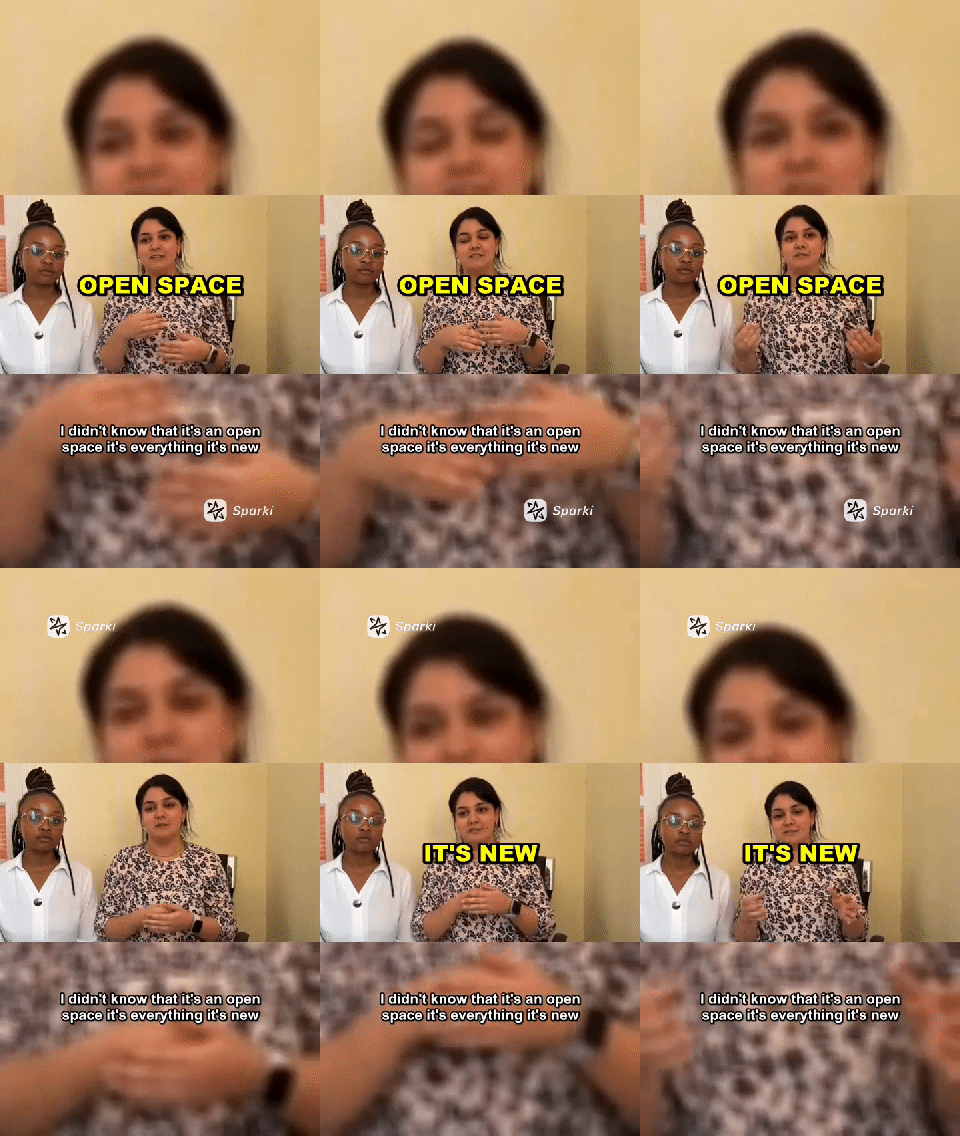
Sparki AI automatically identifying a key moment and turning a long interview video into a vertical short clip with captions and reframing
The result is a more complete loop: long-form source → candidate moments → editing refinement → platform-ready Shorts, without needing to move the clip through multiple editing tools.
A simple way to choose
Use a clip extraction tool if:
-
the source footage is already polished
-
you mainly want highlight detection and fast clip generation
-
speed matters more than revision
Use a manual editor if:
-
you want strong visual styling or social packaging
-
you are comfortable editing each clip by hand
Use an editing-workflow tool if:
-
the source material needs cleanup or restructuring
-
the opening of the clip needs rewriting
-
you want long-form and short-form outputs created within the same editing loop
The 5-Step Workflow That Actually Produces Good Shorts
The creators who seem consistent at repurposing long-form content usually are not doing anything mystical. They just use AI in the right place and keep the editorial judgment for themselves.
1. Start with moments, not with formats
The first question is not "How do I turn this into 9:16?" The first question is "What moment is strong enough to survive outside the original video?"
This is where many repurposed clips die. A weak three-minute explanation does not become a strong 35-second Short just because software cropped it vertically. In community discussions, one pattern came up again and again: sometimes one long video only gives you one truly good short.
Not five. Not ten. One.
Good candidates usually have at least one of these:
-
A strong emotional reaction
-
A clean insight or takeaway
-
A surprising line, result, or claim
-
A visually obvious moment
If the source material is meandering, low-energy, or dependent on lots of prior context, AI will still give you clips. They just probably won't be good clips.
2. Use AI to surface candidates, not to make the final pick
This is where tools earn their keep. Clipping tools are good at narrowing the search space. Instead of scrubbing through 40 minutes of footage, you can have AI give you candidate moments, basic captions, and a first pass on framing.
That's useful. It saves time. But it should be treated as triage, not as final editorial judgment.
If you're working with polished podcasts, interviews, webinars, or commentary that already has clear topic shifts, a tool like OpusClip or Vizard can get you very close very quickly. If the raw material is messy, though, the AI's favorite moment may not be the one you'd actually post.
The right mindset is: let AI find possibilities, then choose the one that actually has a reason to exist on its own.
3. Rewrite the opening for short-form retention
This is another place creators underestimate the work.
A lot of long-form intros are built to warm the viewer up. Shorts do not work that way. If you use the original lead-in, the clip often feels slow before it even starts. Several creators in Reddit threads described getting better results when they opened on the emotional peak or strongest claim rather than preserving the original structure.
That does not mean every Short should feel chaotic. It means the first line has to earn attention immediately. In practice, that usually means:
-
Move the strongest sentence forward
-
Cut throat-clearing and setup
-
Put readable captions on frame from the start
-
Let the first three seconds explain why the viewer should care
This is where human judgment still matters more than automation. Good Shorts are usually reintroduced, not just extracted.
4. Adapt the clip for the platform instead of exporting once and hoping
A repurposed Short still has to work in the feed. That means the platform version matters. At minimum, you are dealing with:
-
Vertical reframing
-
Safe-zone-aware caption placement
-
Subtitle readability
-
Duration and pacing differences
-
Platform-specific context
For example, a talking-head clip that works on YouTube Shorts may need tighter caption placement and a more direct opening for TikTok. A podcast snippet may need better speaker framing. A tutorial clip may need text or UI elements kept visible during reframing.
This is where simpler clipping tools can start to feel narrow. If your job is just finding clips, they may be enough. If your job is actually making the clips usable across platforms, you start needing more editing control.
5. Batch approvals and publishing so this doesn't become a second production line
The biggest hidden cost in repurposing is workflow sprawl.
Creators in community threads kept describing the same pain: the actual clipping may be fast, but the overall process still drags because you're rewatching footage, fixing captions, resizing, exporting, renaming files, and redoing the same formatting choices over and over again.
The fix is not only "better AI." It is also better batching:
-
mark likely short-form moments during the long-form review
-
use reusable caption and framing templates
-
review several candidate clips in one session
-
publish in batches instead of reopening the same project repeatedly
That sounds obvious, but it is the difference between "AI saves me time" and "repurposing still takes all afternoon."
https://sparki.io/blog/long-video-to-short-video