
From Raw Footage to Montage: A Six-Step Workflow (and Where AI Helps)
Hours of raw footage, no finished montage. The workflow that actually works: triage, candidate shots, story spine, pacing, music sync, review — plus where an AI editing agent genuinely helps and where it does not.

There is a folder on your drive that you avoid opening. It holds the holiday morning from two years ago, the summer road trip, the season of gameplay clips you swore you would edit "next weekend" — dozens of files, one intended output, and no progress between them. The footage is fine. The intention is real. The montage just never happens.
That gap has a shape, and it is worth naming before fixing. A montage is the one edit format where the raw material multiplies faster than the story: every extra hour you film adds another hour of watching, sorting, and logging before a single cut gets made. The work that kills the project is not creative work at all — it is the mechanical stretch between the pile of clips and the first usable selection.
This article walks the full path from that pile to a finished montage: triaging the footage, building a candidate shot list, giving the sequence a spine, setting the pace, syncing cuts to music, and running the review pass that makes it yours. Along the way it draws a clear line between the jobs an AI editing agent can absorb and the jobs it cannot — because montage workflows are exactly where people expect AI to conjure shots that were never filmed, and that is the first expectation to correct.
Why Raw Footage Stays Raw
Ask editors what actually stops them and the answers rarely mention creativity. In creator communities, the same complaints recur: one editor reported that "2 hours of footage somehow turned into nearly 12 hours of editing work," another admitted "I actually kinda enjoy editing, but my problem is sifting through all the footage to find content worth working on." Ratios like 1:6 get passed around as rules of thumb rather than measured constants — a cousin of the Rule of 60 benchmark we unpack in the Smart Cut guide — but the direction is consistent: montages die in the sorting, long before the cutting.
The sorting itself is genuinely strange work. You scrub through footage you already lived, hunting for the one laugh, the one reaction, the one clean take, while skipping past everything you filmed by accident. A streamer described stopping mid-session to type 02:15:00 ??? into Notepad, then staring at the timestamp afterward with no memory of what it marked. "I was working like a caveperson," they wrote. The failure mode is not laziness — it is that logging moments while living them is friction of the purest kind, and most people quite reasonably stop doing it.
There is also an emotional cost that timeline tutorials never mention. Editing your own material means watching yourself on loop: the failed takes, the awkward pauses, the joke that landed in silence. By the time a manual edit reaches the good parts, many creators are already tired of the footage — and of themselves. That is a real tax on the project, paid up front, in the least rewarding phase of the work.
The fix is not to become a faster sorter. It is to stop sorting manually at all, and to keep every shot that survives earning its place — the same culling discipline behind a tight product video made with AI, where nothing makes the final cut without a reason.
A Montage Is Not a Vlog — and That Decides Your Workflow
Before the steps, one boundary check that saves people the wrong weekend. A vlog is a first-person narrative episode — you narrate, you appear, the footage follows you through a story, as our vlog explainer lays out. A montage is the opposite shape: many scattered clips composed into one sequence, usually led by music, where the arrangement itself is the storytelling. A vlog edit cleans and paces a narrative that already exists on the timeline; a montage edit selects and arranges raw material into a narrative that did not exist anywhere yet.
The two need different workflows. If your footage is one long talking vlog that needs pauses cut and filler cleaned, the Smart Cut process linked above is the better fit — its job is the mechanical first pass on narrative footage. If your footage is fifty files from an SD card that need composing into one piece, you are doing additive editing, and the six steps below are built for that. (Cutting one finished long video into many clips is the subtractive problem — a different tool category entirely, mapped in our OpusClip alternatives comparison.)
The Six-Step Workflow
Step 1: Gather and Triage the Footage
Resist the urge to organize beautifully. Collect everything into one place, group roughly by day, scene, or device, and run a single triage pass with one question per clip: is this obviously junk, or is it maybe usable? Floor shots, accidental recordings, and camera tests go to an archive folder — not deleted, just out of sight. The goal of triage is not selection; it is shrinking the pile so every later decision gets cheaper.
Step 2: Build a Candidate Shot List
Now watch with intent, and log candidates against four criteria. Emotion: laughs, cheers, reactions, genuine surprise. Motion: action reads better in montage than stillness. Variety: alternate wide, close, and detail shots so the sequence breathes. Anchors: one unmistakable hero moment per scene that the montage is allowed to build toward. This is selection from what exists — and that boundary matters. If the establishing drone shot was never filmed, no editor, AI or otherwise, can supply it; you restructure the opening around the footage you actually have.
Step 3: Give the Montage a Spine
A montage without structure is a slideshow. Pick the spine before cutting anything: chronological for trips and seasons, emotional build for personal material, place-based chapters for travel, or a simple statement-evidence-payoff arc when the montage exists to make one point. Every candidate shot then gets a role on that spine or gets dropped. Arrangement is where a montage does its storytelling — the same raw material becomes nostalgic or electric depending purely on the order and proximity of its shots.
Step 4: Set the Pace
Pacing is where over-editing lives, and viewers feel it immediately — the feedback on chaotic auto-edits runs to words like "nauseous" and "motion sickness." The working principle: a shot needs to be understood before it ends, so let important moments breathe instead of flashing every half-second. Front-load energy into the first ten to fifteen seconds to earn the watch, then vary shot durations deliberately — longer holds on quiet beats, quick cuts stacked under the peak. For a concrete model of this rhythm applied to real material, see how travel highlight reels structure their pacing.
Step 5: Lay the Music and Sync the Cuts
Choose the track before the fine cut, and clear its rights first — nothing wastes an edit like redoing it over a licensing problem. Then comes sync, the craft that separates a montage from a slideshow. The manual tradition is brute force: play the track, tap a marker key on every beat, then drag clips onto the markers. One editor called it "doable," which is a low bar for a holiday weekend. The smarter approach treats the track as a backbone: find the drops, swells, and tempo changes, align your hero moments to the strongest beats, put gentle cuts on swells for travel material, and hard-sync action to beats for gaming montages — the discipline gaming editors have long called gun sync. (If what you actually want is commentary over highlights rather than a music montage, that is its own workflow — see AI commentary for sports highlights.)
Step 6: Run the Review Pass
Watch the full cut once at normal speed, as a viewer, without pausing. Then check four things: does the spine hold from start to finish; is any shot half a second too long; does the music peak land where the visual peak does; does the ending resolve or just stop. Restore anything an over-aggressive cut removed, trim anything that survives on sentiment alone, and export. This pass is short by design — it is judgment work, not labor — and it is the part you should never delegate.
Running the Workflow With an Editing Agent
The six steps above are tool-agnostic craft. The question an agent changes is who does the mechanical stretch of each step — and here we should be explicit about our bias: Sparki is the product we build, and it is one implementation of the agentic editor type, not a neutral judge of it. The full map of the five types of AI video editor — timeline, text-driven, design-driven, single-function, agentic — lives in our pillar guide.
The pattern: upload the pile, then brief the edit in plain language, the way you would brief a human editor — "make this upbeat, highlight the gift openings, sync it to a jolly track," or "build a high-energy reel of my best plays from these three hours." You define the intent; the agent handles the execution.
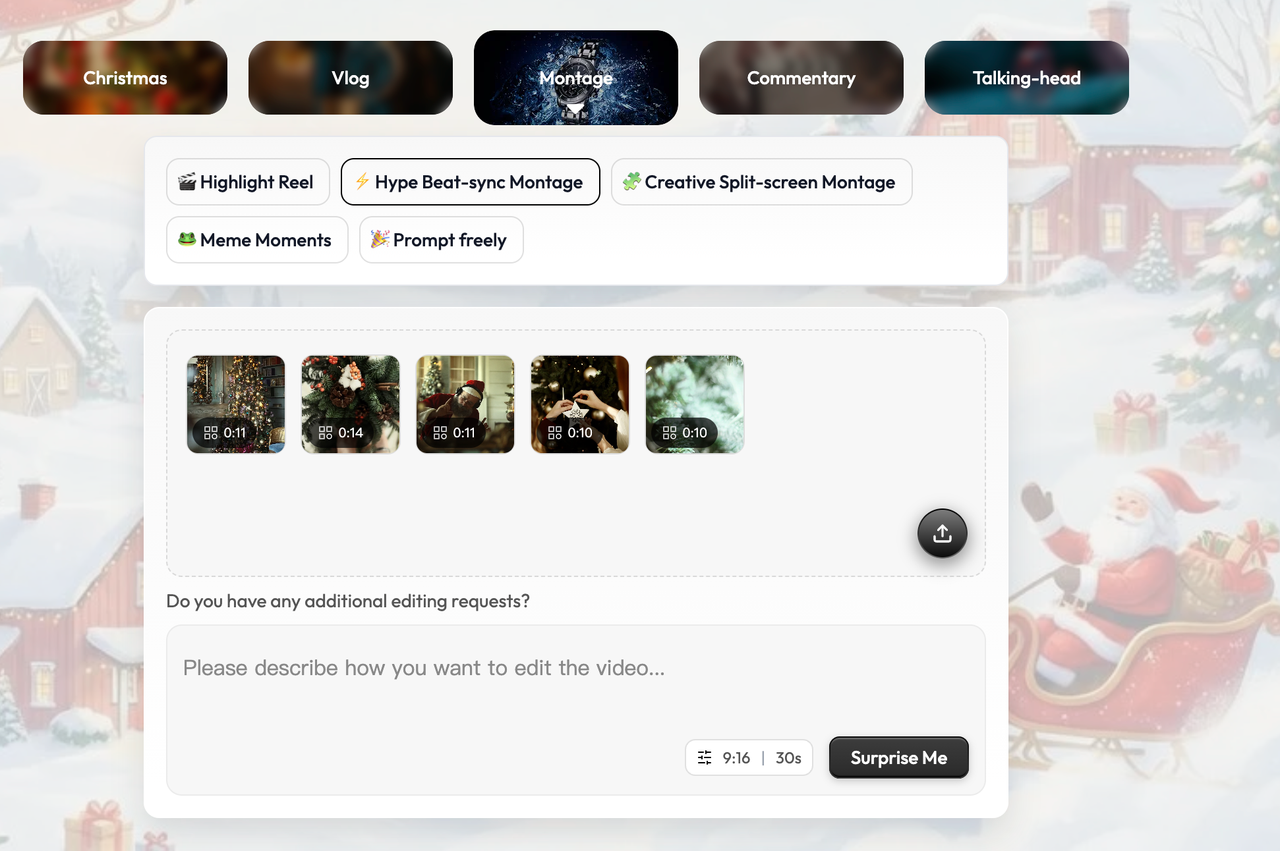
This is the asset upload page on Sparki.io, an AI-powered video editing platform. It allows users to upload video clips for personalized editing. The interface offers various options for montages, including Highlight Reels, Hype Beat-sync Montages, and Creative Split-screen Montages, ideal for holiday videos. Users can preview their clips and input editing requests to customize the final product. The page also features intuitive controls for selecting clip durations and submitting requests for automatic or creative video transformations.
The agent then does the watching for you. It analyzes the picture, sound, motion, and people in the footage you uploaded, flags the high-energy moments, and clears the dead air and floor shots — Steps 1 and 2 turned from hours of scrubbing into a candidate list you review. Its read of the material is strong but not infallible, which is exactly why the workflow ends in your pass rather than an export button.
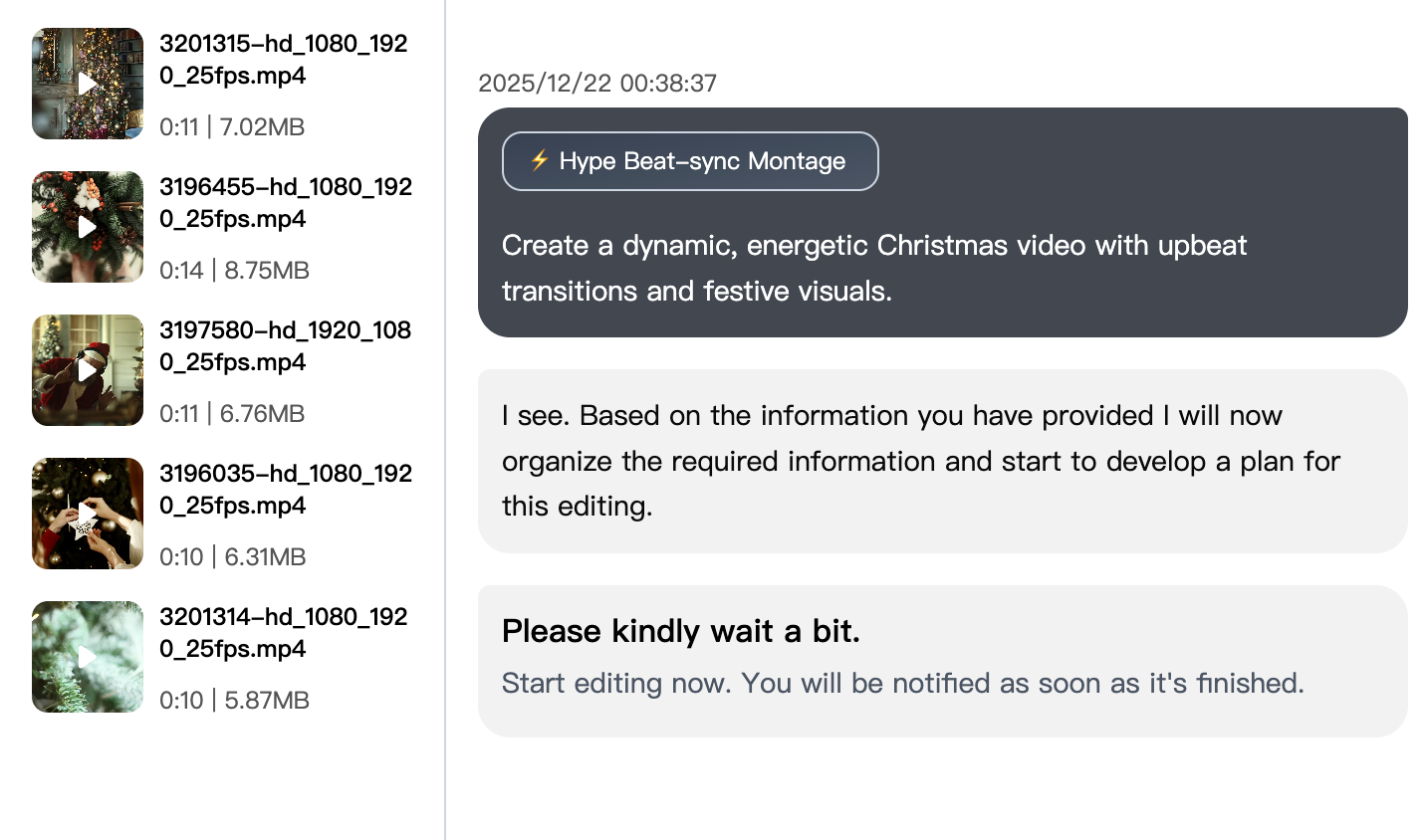
An AI-powered editing interface organizing uploaded clips and preparing a beat-synced Christmas montage in real time.
For Steps 4 and 5, the agent maps the music track — beats, drops, tempo changes — and aligns your selected clips to that backbone automatically: hard sync where the material is action-heavy, gentler alignment on musical swells for travel and family footage. Music volume, ducking, and leveling are handled on the existing video so the track supports the sequence instead of fighting it. What you get is the professional flow of marker-perfect sync without the frame-by-frame surgery, and the pacing guardrails that keep a shot understandable before it ends.
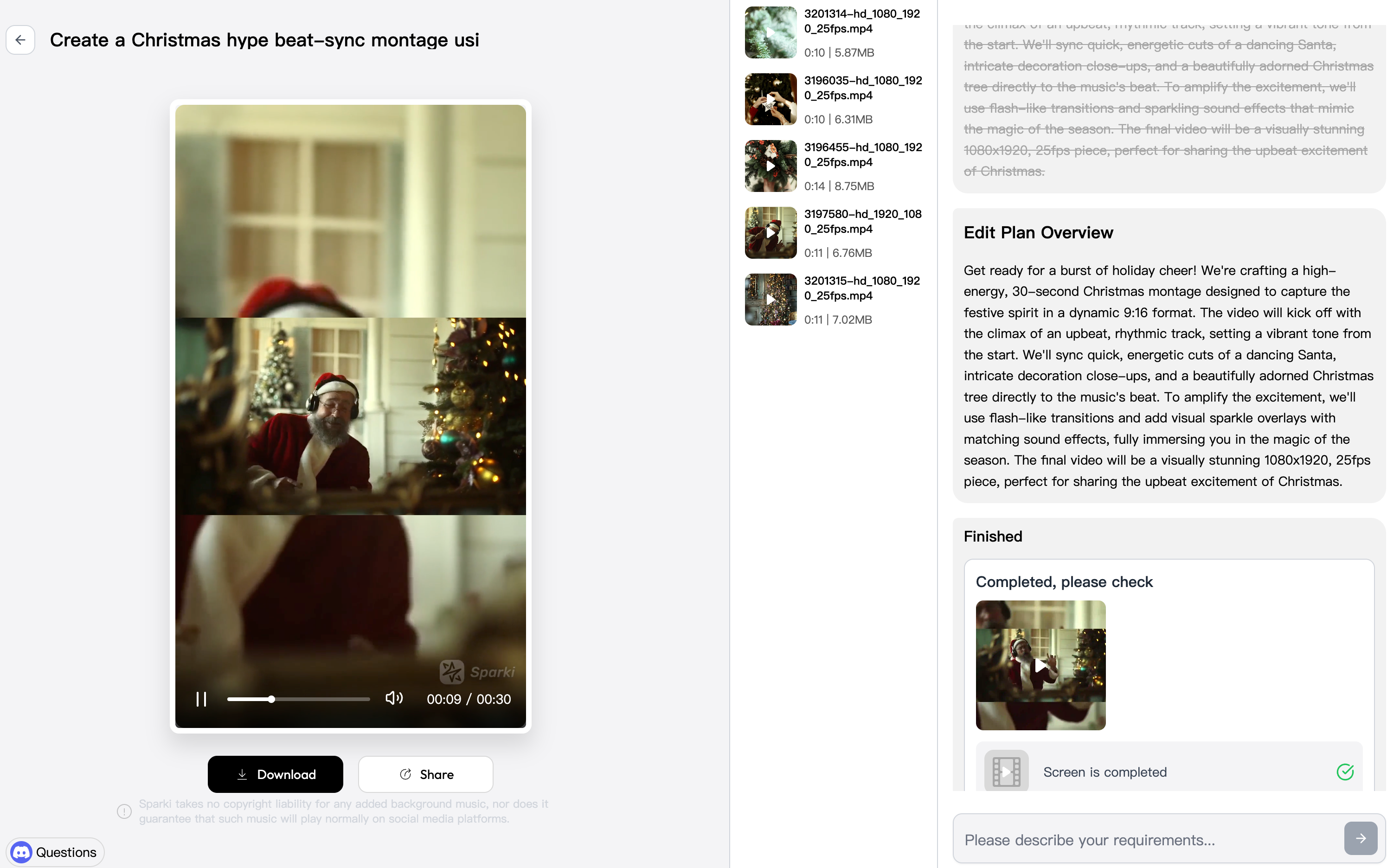
A high-energy Christmas beat-sync montage with fast cuts, festive visuals, and music-driven rhythm.
The boundaries are the honest ones, and montages test all of them. An editing agent works only with footage you already have — it selects, orders, and finishes existing material; it does not generate the shots you failed to film, so a missing establishing shot means restructuring, not conjuring. Its music handling is arrangement on your video, not full audio production. And it produces a draft for your review, not a final cut on autopilot: pacing taste and story judgment are Step 6, and they stay with you. For a systematic view of which editing decisions hand over well and which come back worse without a human, see what AI video editors can and can't automate.
What this does to the calendar is the quiet point. The unattended pass — the sorting, the candidate list, the first sync — runs without your attention; your time goes to the brief, the review, and the fixes. How long the whole thing takes still depends on the pile, but the shape changes from a lost weekend of scrubbing to a directed session on a draft that already exists. The footage was paid for when you filmed it. The montage is mostly sorting — and sorting is the part a machine should be doing while you decide what the story is.
https://sparki.io/blog/raw-footage-to-montage-ai